
Email Forwarding
Forward incoming email from your provider to Productlane.
Productlane receives email through forwarding: your mail provider sends a copy of every message for your support address to your Productlane intake address. Find the intake address under Settings > Email, on each address's page. The steps below are for Google Workspace. Other providers have a similar forwarding or routing rule.
Google Workspace
Open your Gmail routing configuration
Find it here: https://admin.google.com/u/0/ac/apps/gmail/defaultroutingAdd a new routing rule
Under "Default routing" clickCONFIGUREorADD ANOTHER RULE.Set the recipient
In the dropdown, selectSingle recipientand fill in your support email address underEmail address.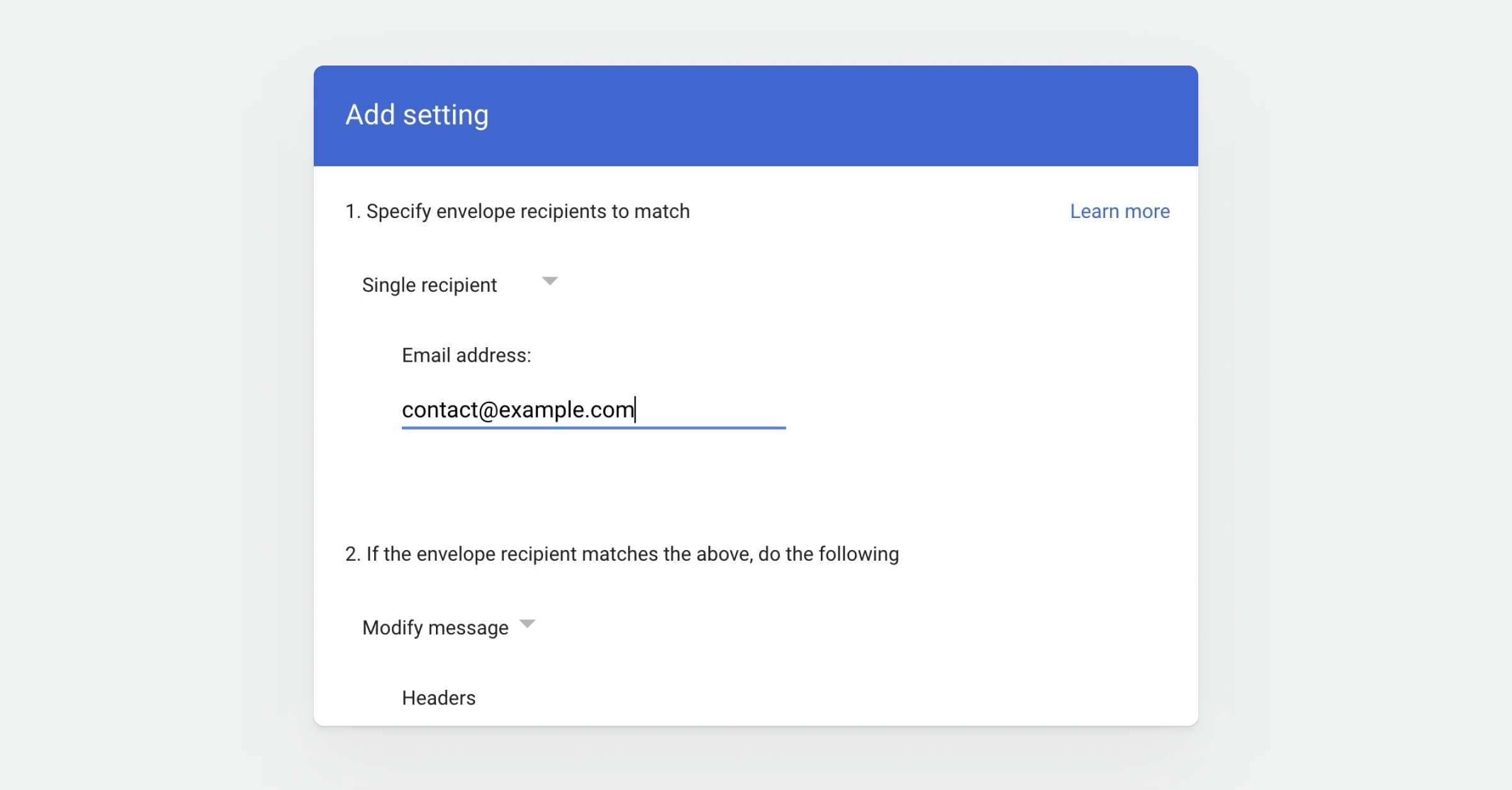
Override recipient
Check the boxChange envelope recipient, then chooseReplace the recipientand paste your intake address from Productlane ([email protected]). You can find it under Settings > Email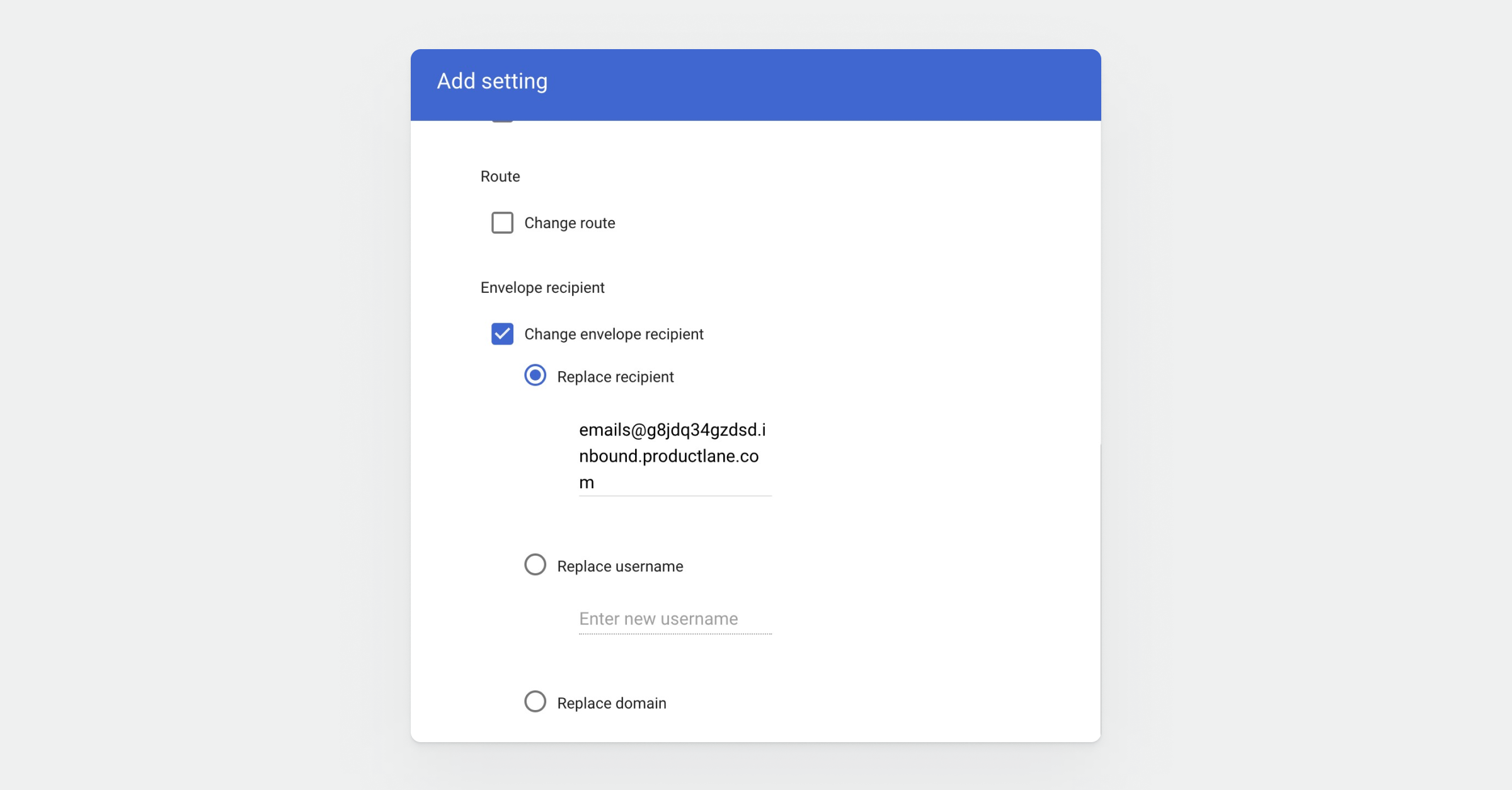
Apply to all addresses
Scroll further down, and choosePerform this action on non-recognised and recognised addresses.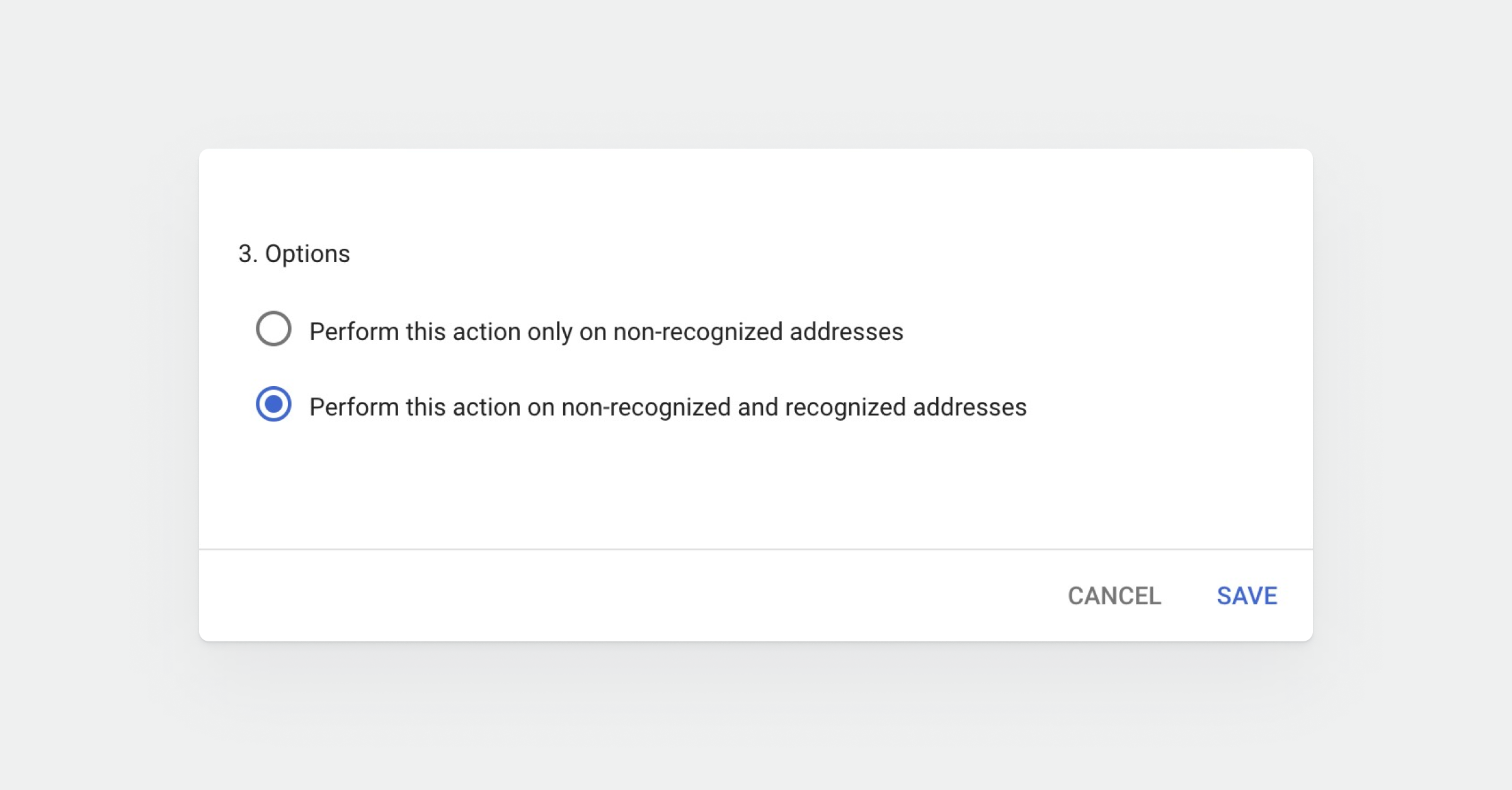
Save
ClickSave. Email sent to your support address now arrives in Productlane.
Was this helpful?