
Productlane changelog
Release Intelligence

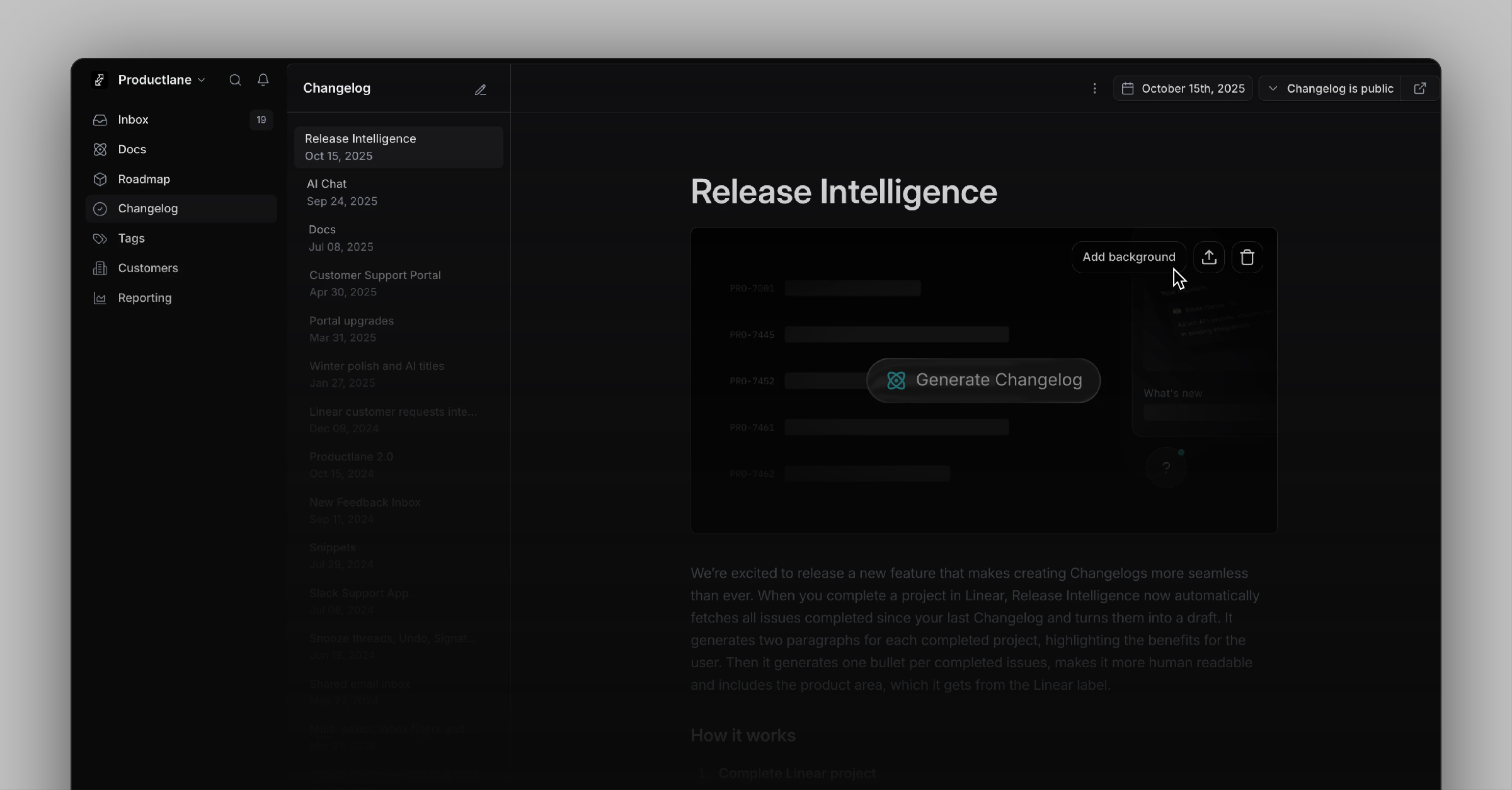
We’re excited to introduce Release Intelligence today. When you complete a project in Linear, it fetches all issues completed since your last Changelog and turns them into a draft. It generates two paragraphs for each completed project and one bullet per completed issues. It makes issue titles more human-readable and includes the product area, which is based on the Linear label.
How it works
Complete Linear project
This will trigger the creation of the Changelog.Get last Changelog date
Release Intelligence will select all issues and projects completed since then.Generate Changelog
It generates a draft based on the title and description of those issues and projects.
Redesigned Editor and cover image creator
Release intelligence comes with a redesigned Changelog editor built for speed and focus. You now see generated drafts indicated in the sidebar and can navigate through your Changelogs with shortcuts like ↑↓ for moving to the next item and CMD Delete to remove drafts again. To speed up the Changelog creation, the cover image uploader now adds a shadow, border radius, and padding, so any screenshot looks great right away.
Changelog RSS Feed
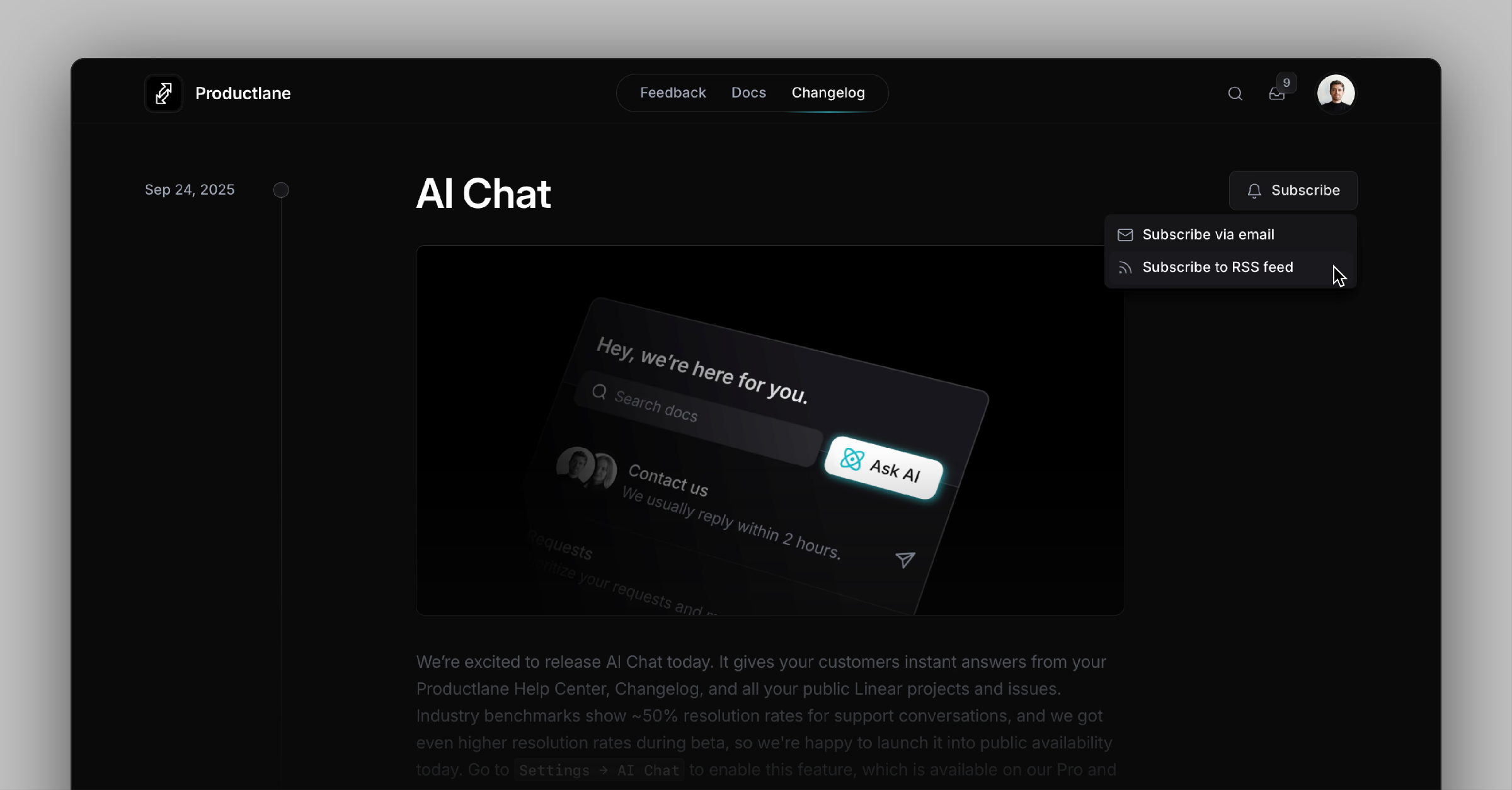
You’ll now see a new Subscribe button on your Changelog. It lets customers get your RSS feed URL or subscribe via email. By default, subscribing via email requires logging in to your portal, but you can set a custom URL instead. We recommend sending each Changelog to all customers who’ve ever signed up for your app.
Changelog Migration Assistant
Getting started is even easier with our new Migration Assistant, which lets you import Changelogs from other platforms via CSV. Go to Settings → Import / Export to migrate from existing tools within minutes.
Improvements
API: Add contact to company via API so you can automate CRM sync
Editor: Change docs links to use stable IDs so links survive renames
Editor: Add arrow‑key and Esc navigation inside docs
Feature: Add toast confirmation and an undo‑send shortcut for email replies
Live Chat: Skip generating an AI response if a user already asked the same question
Live Chat: Enable AI suggestions for Live Chat replies
Live Chat: Include the first live chat message in the notification email
Live Chat: Smooth loading animations to match AI chat behavior
General: Improve feedback triage workflow based on user input
Interface: Add a new bottom bar for quicker access to primary actions
Interface: Improve sidebar icon colors and clean up Linear settings layout
Interface: Standardize scrollbar styling across platforms
Mobile: Add a new, cleaner view for mobile devices
Fixes
Login: Clean up the invite team interface so you can add teammates without confusion
API: Show all Linear items during import so nothing is missing
Bug: Preserve the original attachment name after upload
Bug: Fix docs layout spacing on mobile for better readability
Bug: Prevent CSV imports from failing when threads are duplicated
Bug: Render email content correctly in Spark
Bug: Respect j/k navigation without opening thread snippets unexpectedly
Bug: Ensure first email on a new thread includes attachments
Bug: Allow CSV attachments to be downloaded from threads
Bug: Redirect to the correct page after logging out from a doc article
Dashboard: Fix tag count discrepancies so numbers match filters
Database: Hide or correct customer needs that have no linked customer
Interface: Prevent jumpy scrolling in comment boxes
Interface: Show the correct Twitter preview (Open Graph) image
Interface: Fix clipped input fields in dialog forms
Interface: Align avatars and text in live chat messages
Interface: Left‑align components and allow them to grow horizontally as intended
Interface: Fix the input field on the support portal
Notifications: Render the full Email DNS status label without truncation
Performance: Apply Widget response time settings without delay
Slack: Deliver attachments even when a Slack message body is empty